

Picking the right WordPress LMS (Learning Management System) plugin for your online courses in 2024 can feel a bit like sifting through a huge pile of options. To cut right to it, the “best” often comes down to your specific needs, budget, and how much technical heavy lifting you’re willing to do. However, based on features, user-friendliness, and active development, plugins like LearnDash, Tutor LMS, and Sensei continue to lead the pack, offering robust solutions for everything from small niche courses to large educational platforms. We’ll dive into what makes these and a few other strong contenders stand out so you can make an informed choice without getting bogged down.
Understanding What an LMS Plugin Actually Does
Before we look at specific tools, it’s helpful to clarify what a WordPress LMS plugin brings to the table. Essentially, it transforms your standard WordPress website into a fully functional online school. Think of it as adding specialized infrastructure for educational content.
Core Features You Should Expect
At a minimum, an LMS plugin should allow you to:
- Create and manage courses: This includes structuring lessons, topics, quizzes, and assignments.
- Handle student enrollment: From free sign-ups to paid subscriptions, it manages who gets access to what.
- Track student progress: Seeing how far students have gotten and their quiz scores is crucial.
- Process payments: If you’re selling courses, integrated payment gateways are a must.
- Issue certificates: Acknowledging completion is a nice touch and often expected.
- Manage instructors: If you have multiple educators, the system should support their roles.
Beyond these basics, many plugins offer advanced features like content drip-feeding, assignments, graded essays, group courses, and integration with other tools like Zoom or email marketing services.
Why Not Just Use Regular WordPress Pages?
You might wonder why you can’t just put your lessons on regular WordPress pages. While you technically could, it would be a chaotic mess very quickly. You’d have no way to:
- Restrict content access easily to paying students only.
- Track individual student progress.
- Automate course completion or certificate issuance.
- Create interactive quizzes or assignments.
- Manage a growing catalog of courses efficiently.
An LMS plugin provides the dedicated framework and tools to manage all these educational complexities in an organized, scalable way.
Top Contenders for WordPress LMS in 2024

Let’s get into the specifics of the most popular and effective LMS plugins available right now. We’ll focus on what makes each one unique and who it might be best suited for.
LearnDash: The Industry Veteran
LearnDash has been around for a long time and is widely considered one of the most powerful and flexible LMS plugins for WordPress. It’s a serious tool for serious educators.
Key Features of LearnDash
- Course Builder: LearnDash’s “Focus Mode” and drag-and-drop course builder make structuring courses with lessons, topics, quizzes, and assignments pretty intuitive, even with its extensive features.
- Drip-Feed Content: You can schedule content to be released on a specific date or after a certain period since enrollment, which is great for paced learning.
- Advanced Quizzing: It offers eight different quiz question types, timers, custom messages, and more, allowing for quite sophisticated assessments.
- Assignments: Students can upload assignments, which instructors can then review and grade directly within the system.
- Certificates & Badges: Fully customizable certificates and badges add a gamified element and acknowledge achievement.
- Group Management: This is a big one for corporate training or selling to institutions. You can enroll multiple users in a group and assign a group leader.
- ProPanel Reporting: Their premium add-on, ProPanel, gives you detailed reporting on student progress, quiz performance, and assignment status, all in a clean dashboard.
- Extensive Integrations: LearnDash plays well with a vast ecosystem of other plugins for memberships (MemberPress, Paid Memberships Pro), e-commerce (WooCommerce), email marketing, and more.
- Dynamic Content Delivery: Rules-based progression means students can only move forward after completing specific actions, ensuring proper learning paths.
Who LearnDash is Best For
LearnDash is ideal for:
- Professional educators and businesses: If you need a robust, scalable platform with advanced features for diverse course types.
- Anyone needing flexible content delivery: The drip-feed and group management features are top-notch.
- Users who value deep integrations: Its compatibility with a wide range of third-party tools is a significant advantage.
- Those prioritizing advanced quizzing and assignments: If your courses require detailed assessment.
Considerations for LearnDash
While powerful, LearnDash can have a bit of a learning curve due to its extensive options. It’s also a premium-only plugin, so budget is a factor from the start. Some users find its default aesthetic a bit plain, often requiring custom styling or a compatible theme.
Tutor LMS: A Modern & Feature-Rich Contender
Tutor LMS has rapidly gained popularity due to its sleek user interface and a very comprehensive free version, making it an attractive option for many. It’s developed by Themeum, known for quality WordPress products.
Key Features of Tutor LMS
- Frontend Course Builder: A standout feature is its intuitive frontend course builder, allowing instructors to create and manage courses directly from the user-facing side of the website, which is excellent for multi-instructor platforms.
- Comprehensive Quizzing: Offers a wide array of quiz types, including image matching, true/false, fill-in-the-blanks, and more, providing rich assessment options.
- Assignments & Submissions: Similar to LearnDash, it allows students to upload assignments that instructors can grade.
- Certificate Builder: Comes with a drag-and-drop certificate builder, making it easy to design professional-looking certificates.
- Multi-Instructor Support: Built-in support for multiple instructors, complete with commission management, which is fantastic for marketplaces like Udemy.
- Monetization Options: Integrates seamlessly with WooCommerce, Easy Digital Downloads, and other popular e-commerce solutions for selling courses.
- Q&A Section: Each course has a dedicated Q&A section where students can ask questions and instructors can respond, fostering engagement.
- Course Prerequisites: You can set prerequisites, meaning students must complete one course before enrolling in another.
- Content Drip-Feed: Schedule lessons to be released over time, keeping students engaged and pacing their learning.
- Integration Ecosystem: While newer than LearnDash, it’s quickly building its own ecosystem of integrations and add-ons for things like Zoom, Google Classroom, and more.
Who Tutor LMS is Best For
Tutor LMS is an excellent fit for:
- Those looking for a feature-rich free option: The free version is incredibly capable for getting started.
- Users who prioritize a clean, modern UI/UX: Both the backend and frontend are very well designed.
- Marketplace creators: Its robust multi-instructor support makes it ideal for building an online learning marketplace.
- Developers and designers: The code is generally clean, making it easier to customize.
Considerations for Tutor LMS
While impressive, some of its more advanced reporting and integration features are reserved for the Pro version. As a newer player, its ecosystem of third-party add-ons might not be as vast as LearnDash’s, though it’s growing rapidly.
Sensei Pro: The WooCommerce-Integrated Option
Developed by Automattic (the creators of WordPress.com and WooCommerce), Sensei Pro is naturally a tight fit for anyone already using or planning to use WooCommerce for their e-commerce needs. It’s designed to integrate seamlessly.
Key Features of Sensei Pro
- Native WooCommerce Integration: This is its superpower. Courses are treated as WooCommerce products, simplifying the sales process and leveraging all of WooCommerce’s features (coupons, various payment gateways, reporting).
- Simple Course Creation: Sensei focuses on simplicity, making it straightforward to create courses, lessons, and quizzes.
- Modular Course Content: You can organize content into courses and modules, with each module containing several lessons.
- Basic Quizzing: Offers several quiz types, including multiple choice, true/false, and fill-in-the-blank.
- Question Bank: Reuse quiz questions across different quizzes.
- Student Management: Provides basic tools for managing students and tracking their progress.
- Reporting: Simple reporting on course progress and quiz results.
- Content Drip-Feeding: Like the others, you can schedule when lessons become available.
- Certificates: Customizable certificates upon course completion.
Who Sensei Pro is Best For
Sensei Pro shines for:
- Existing WooCommerce users: If your store is already built on WooCommerce, Sensei Pro is the most natural and least disruptive choice.
- Users who prefer simplicity: It offers a more streamlined experience compared to the feature-heavy LearnDash or Tutor LMS.
- Those primarily selling courses as products: Its integration with WooCommerce handles all the e-commerce heavy lifting.
- Beginners: Its straightforward approach makes it less intimidating to get started.
Considerations for Sensei Pro
Sensei Pro is generally less feature-rich than LearnDash or Tutor LMS, especially in areas like advanced quizzing, assignments, and multi-instructor support. If you need deep educational functionality beyond selling basic courses, you might find it limiting. It also lacks a free version to try out the core functionality.
LifterLMS: The All-in-One Solution
LifterLMS positions itself as an “all-in-one” solution, aiming to provide not just the LMS features but also membership, e-commerce, and engagement tools without needing as many external plugins.
Key Features of LifterLMS
- Flexible Course & Lesson Builder: Drag-and-drop course builder for lessons, sections, quizzes, and assignments.
- Membership & Bundles: Built-in membership functionality allows you to create membership sites and sell course bundles, rather than relying on separate membership plugins.
- Engagement Triggers: Powerful engagement features like achievement badges, certificates, and email notifications based on student actions (e.g., completing a lesson, passing a quiz).
- Course Prerequisites & Drip Content: Standard features for controlling course flow and content release.
- Advanced Quizzing: Supports various quiz types, timers, and randomized questions.
- Assignments: Students can submit assignments for instructor review and grading.
- Private Coaching & Group Coaching: Unique features allowing one-on-one or group coaching integration within the platform.
- Payment Gateways: Integrates with popular payment gateways directly or via add-ons.
- Integrations: While aiming for all-in-one, it still integrates with many third-party tools for email marketing, CRM, etc.
Who LifterLMS is Best For
LifterLMS is a strong choice for:
- Users seeking a comprehensive solution: If you want an LMS, membership, and e-commerce integrated into one plugin, LifterLMS is a strong contender.
- Coaches and consultants: The private and group coaching features are particularly valuable for this audience.
- Those prioritizing engagement tools: Its gamification and trigger-based emails are designed to keep students motivated.
- Anyone needing robust membership functionality alongside courses.
Considerations for LifterLMS
LifterLMS can be a bit more expensive as you add on necessary extensions, though their bundles can make it more palatable. Like LearnDash, it has a learning curve due to its extensive feature set. While aiming for all-in-one, you might still find yourself needing other plugins for very specific niche functionalities.
Factors to Consider When Choosing Your LMS Plugin
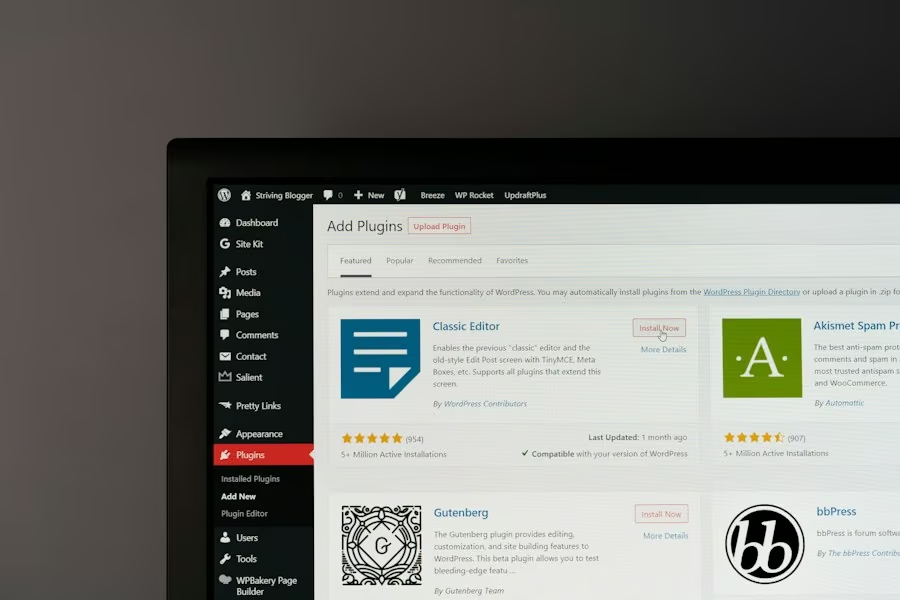
With several strong contenders, how do you narrow it down? Here are some practical considerations to guide your decision.
Your Budget
LMS plugins vary widely in price.
- Free vs. Premium: Tutor LMS has a robust free version, making it excellent for testing the waters. LearnDash, Sensei Pro, and LifterLMS are premium-only.
- One-time vs. Subscription: Most operate on an annual subscription model for updates and support.
- Add-ons and Extensions: Factor in the cost of any necessary add-ons for payment gateways, advanced reporting, or integrations. Some plugins offer bundles that can save money.
Ease of Use (for You and Your Students)
- Course Creation Interface: Is it intuitive? Does it support drag-and-drop?
- Student Frontend: How easy is it for students to navigate courses, take quizzes, and track their progress? A good UX reduces support questions.
- Instructor Dashboard: If you have multiple instructors, is their dashboard clear and functional?
Features You Absolutely Need
Make a list of “must-have” and “nice-to-have” features.
- Content Types: Do you need just text, or also video, audio, PDFs, and SCORM/xAPI packages?
- Assessment: Basic quizzes or advanced, graded assignments, essay submissions?
- Monetization: Selling individual courses, bundles, subscriptions, memberships?
- Engagement: Gamification (badges, points), certificates, discussion forums, Q&A?
- Instructor Management: If you plan on having multiple instructors, commission management, separate dashboards.
- Reporting: How detailed do you need your student progress and performance reports to be?
Scalability and Integrations
- Growth Potential: Will the plugin support your needs as your course catalog or student count grows?
- Third-Party Integrations: How well does it play with other essential tools like:
- E-commerce: WooCommerce, Easy Digital Downloads.
- Membership: MemberPress, Paid Memberships Pro.
- Email Marketing: Mailchimp, ActiveCampaign, ConvertKit.
- CRM: HubSpot, Salesforce.
- Video Hosting: Vimeo, YouTube, Wistia (though most support embedding).
- Webinars/Conferencing: Zoom.
Support and Documentation
Even the most intuitive plugin can throw a curveball. Good support and clear documentation are invaluable.
- Knowledge Base: Is it extensive and easy to search?
- Support Channels: Email, live chat, forums?
- Community: Is there an active user community where you can find answers and share tips?
Setting Up Your WordPress LMS: Beyond the Plugin
Once you’ve picked your plugin, there are a few other critical components to ensure a smooth operation.
Reliable Hosting
Online courses, especially those with lots of video content and active users, can be resource-intensive.
- Shared Hosting: Might be okay for very small sites, but can quickly become slow.
- Managed WordPress Hosting: Providers like Kinsta, WP Engine, or SiteGround (GrowBig/GoGeek plans) offer optimized environments for WordPress, better performance, and enhanced security. This is highly recommended for LMS sites.
- VPS or Dedicated Server: For very large platforms with thousands of concurrent users, you might need even more robust hosting.
A Compatible WordPress Theme
While most modern WordPress themes are designed to be broadly compatible, some themes are specifically built with LMS plugins in mind, or at least perform exceptionally well.
- Lightweight and Fast: Performance is key. Look for themes like Astra, GeneratePress, Kadence, or specific LMS themes.
- Layout and Design: Ensure the theme provides good layout options for course pages and a professional aesthetic.
- Customization Options: You’ll want to be able to brand your learning platform effectively.
Content Security
Protecting your course content is important, especially if it’s premium.
- Plugin Features: Most LMS plugins handle basic content restriction (only enrolled users can see lessons).
- Video Hosting: Don’t host large videos directly on your WordPress server. Use dedicated video hosting services like Vimeo Pro, Wistia, or YouTube (set to unlisted or private). These services are optimized for streaming and offer better security against direct downloads.
- Watermarking: Consider watermarking PDFs or using tools to prevent easy sharing.
Marketing and Sales Strategy
Having a great LMS and fantastic courses won’t matter if no one knows about them.
- Landing Pages: Create compelling landing pages for your courses.
- SEO: Optimize your course pages and website for search engines.
- Email Marketing: Build an email list and use it to promote your courses and engage with potential students.
- Social Media: Leverage social platforms where your target audience hangs out.
- Content Marketing: Create blog posts, videos, or podcasts related to your course topics to attract learners.
Choosing the right WordPress LMS plugin in 2024 is a foundational decision for your online learning venture. By carefully evaluating your needs, budget, and the specific strengths of each plugin like LearnDash, Tutor LMS, Sensei Pro, and LifterLMS, you can build a powerful, effective, and engaging educational platform. Remember, the best plugin is the one that empowers you to deliver the best learning experience to your students while being manageable and sustainable for you.