

So, you’re wondering how to make your WordPress website management smoother and quicker? Great question! The short answer is: a dedicated WordPress management tool. Think of it as your website’s personal assistant, handling a bunch of the repetitive, time-consuming tasks so you can focus on what really matters, like creating awesome content or growing your business. Instead of logging into each site individually, wrestling with updates, or trying to remember complex passwords, a good management tool brings it all under one roof. It’s about reducing friction and getting more done with less effort.
Let’s get down to brass tacks. Why invest time and potentially money into a tool to manage your WordPress sites? When you’re juggling one, maybe two websites, it might seem like overkill. But as soon as you cross that three or four site threshold, or even if you have just one but it’s critical to your income, things start to snowball. The common tasks – updating plugins, themes, and WordPress core; checking security; performing backups – become a daily grind, and the risk of forgetting something important increases.
The Time Drain of Manual Management
Honestly, how much time do you spend each week or month just logging into different dashboards? Then comes the clicking, the waiting for pages to load, the checking for update notifications, and the actual execution of those updates. It’s not just the clicks; it’s the mental overhead of remembering which site needs what, any potential conflicts, and the overall process. This is time that could be spent strategizing for your next marketing campaign, writing that blog post you’ve been meaning to get to, or even just taking a well-deserved break.
The Risk Factor: What If You Forget?
This is a big one. WordPress security is an ongoing battle. Plugins and themes are constantly being updated to patch vulnerabilities. Missing even one update on a single site can leave it exposed to malware, hacking attempts, or other security breaches. The consequences of a hacked website can be devastating: lost data, reputational damage, and downtime that directly impacts your revenue. Similarly, forgetting to back up your site regularly can be catastrophic if something goes wrong.
Scaling Your Operations Seamlessly
If your goal is to grow, whether it’s by managing more client sites or expanding your own web presence, manual management simply doesn’t scale. Every new website adds more complexity and time commitment. A management tool is designed to handle multiple sites efficiently. It allows you to perform actions across many sites simultaneously, making expansion feel achievable rather than overwhelming.
Core Features That Actually Help
Not all WordPress management tools are created equal. Some offer a smorgasbord of features, while others focus on a few key areas exceptionally well. When choosing one, it’s about finding what aligns with your needs. But broadly, these are the functionalities that really move the needle in terms of efficiency.
Centralized Updates: The Holy Grail
This is often the most compelling reason to use a management tool. Instead of visiting each WordPress admin panel, you’ll have a single dashboard that shows you available updates for WordPress core, plugins, and themes across all your connected websites.
One-Click Updates for Everything
The ability to update multiple plugins, themes, or even WordPress core across several sites with a single click is a game-changer. This drastically cuts down the time spent on a recurring, essential maintenance task.
Staging and Rollback Capabilities
Some advanced tools offer staging environments. This means you can test updates on a copy of your site before deploying them to the live version. If something breaks, you can easily roll back to the previous stable version without impacting your visitors.
Security Monitoring and Management
Keeping your websites secure is non-negotiable. A good management tool provides proactive security measures and makes it easier to respond to threats.
Malware Scanning and Cleanup
Many tools include automated malware scanning. They can scan your sites regularly and alert you if anything suspicious is detected, often offering tools to help clean it up.
Uptime Monitoring
Your website needs to be accessible. Uptime monitoring checks if your sites are online and alerts you immediately if they go down, allowing for rapid investigation and resolution.
Firewall and Security Hardening
Some tools offer built-in security features like a web application firewall (WAF) or tools to help implement basic security hardening measures across your sites.
Automated Backups for Peace of Mind
Losing your website data is a nightmare scenario. Automated and easily restorable backups are a fundamental requirement for any website owner.
Scheduled Backups
Set it and forget it. Configure your backup schedule (daily, weekly, etc.) and the tool will automatically create full backups of your sites.
Offsite Storage Options
Storing backups in the same location as your website isn’t ideal. Many tools allow you to store backups on services like Amazon S3, Google Drive, or Dropbox, ensuring your data is safe even if your server has issues.
One-Click Restore
If the worst happens, restoring your site from a backup should be a straightforward process. A good tool makes this achievable with just a few clicks.
Performance Monitoring and Optimization
A slow website frustrates users and hurts your search engine rankings. Management tools can help you keep tabs on performance.
Speed Testing Integrations
Some tools integrate with speed testing services or offer built-in basic performance checks, highlighting potential bottlenecks.
Plugin Performance Analysis
Understanding which plugins are slowing down your site is crucial for optimization. Some tools can help identify resource-hungry plugins.
Streamlined Client Management (for Agencies)
If you manage websites for clients, efficiency gains are amplified. Client management becomes a whole lot less stressful.
Branded Reports
Many tools allow you to customize reports with your agency’s branding, which you can then send to clients, showcasing your proactive maintenance.
Centralized Client Access Control
Manage user roles and permissions for clients or team members across all sites from one place.
Choosing the Right WordPress Management Tool for You

Now that you know what to look for, how do you pick the right tool? It’s not a one-size-fits-all situation. Your decision will depend on the number of sites you manage, your budget, and the specific features you prioritize.
Free vs. Paid: What’s the Difference?
A common question. Free tools are great for individuals with a few personal sites. They’ll usually cover the basics like updates and backups. Paid tools, however, offer much more robust features, better support, and are designed for agencies or businesses with mission-critical websites.
Free Options: Good for Starters
Tools like ManageWP have a decent free tier that can handle essential tasks for a limited number of sites. They are an excellent way to dip your toes into management tools.
Paid Solutions: For Serious Scaling
Dedicated paid platforms often offer advanced security, Uptime monitoring, white-labeling, cloud backup integrations, and priority support. The investment often pays for itself in saved time and reduced risk.
Key Considerations When Evaluating Tools
Don’t just look at the feature list. Think about how you’ll actually use it.
Ease of Use and Interface
You don’t want a tool that’s harder to use than managing your sites individually. Look for an intuitive interface that makes sense to you.
Scalability of Features
If you plan to grow, can the tool grow with you? Will you need to upgrade plans or migrate to a different tool later?
Support and Community
When something goes wrong, responsive support is invaluable. Check out their support channels and see if there’s an active community forum where you can get help.
Integration with Other Services
Does it integrate with your preferred cloud storage, security plugins, or other tools you use?
Popular WordPress Management Tools to Consider
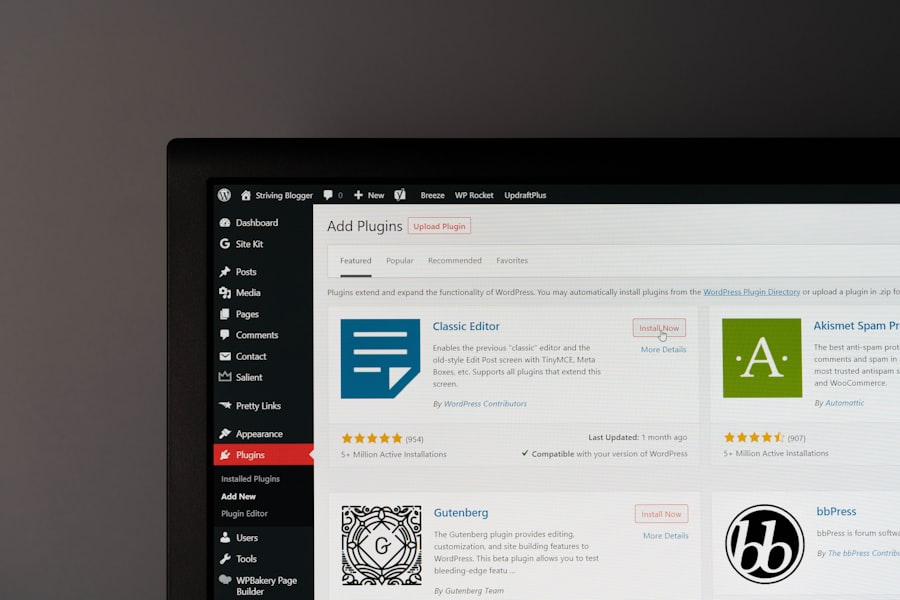
There are several established players in the WordPress management space. It’s worth exploring a few of the top contenders to see which one resonates with your workflow.
ManageWP
This is a very popular choice, offering a robust free tier and a well-structured paid add-on system. You can start with the free version for basic updates and backups, then add features like advanced security, uptime monitoring, and SEO tools as needed. It’s known for its clean interface and ease of use.
Key Strengths:
- Generous free tier for essential tasks.
- Modular paid add-ons allow you to customize functionality.
- User-friendly interface.
- Good for both individual users and agencies.
MainWP
MainWP is an open-source solution that you install on your own server, giving you complete control. It’s a great option if you’re tech-savvy and want to avoid third-party platforms, or if you have a large number of sites. It supports extensions for added functionality.
Key Strengths:
- Full control and ownership of your data.
- Highly customizable with extensions.
- No recurring fees for the core plugin (extensions might have costs).
- Excellent for users who prefer self-hosting.
Jetpack
While not solely a management tool in the same vein as others, Jetpack (from Automattic, the company behind WordPress.com) offers a suite of features that include security scans, automated backups, performance enhancements, and uptime monitoring, all integrated into one plugin. It’s a good option if you’re already using other Jetpack features.
Key Strengths:
- Integrated into the WordPress ecosystem.
- Provides a good range of essential features.
- Simplifies the addition of security and backup features.
Itheme+ (formerly iControlWP)
This is another powerful platform that offers comprehensive management capabilities. It’s particularly strong in areas like security, backups, and white-labeling, making it a favorite among agencies.
Key Strengths:
- Strong focus on security and backups.
- Excellent white-labeling options for agencies.
- Advanced reporting features.
Putting a Management Tool into Practice
| Feature | Description |
|---|---|
| One-Click Updates | Ability to update WordPress core, themes, and plugins with a single click. |
| Backup and Restore | Option to backup and restore WordPress site including files and database. |
| Security Scans | Regular scans for malware, vulnerabilities, and security issues. |
| Performance Optimization | Tools to optimize site speed and performance for better user experience. |
| User Management | Ability to manage user roles, permissions, and access control. |
So, you’ve chosen a tool. Now what? The real gains come from actively integrating it into your workflow. Don’t just set it up and forget it.
Batch Your Tasks
Instead of logging in to perform a single task on one site, use your management tool to batch similar tasks across multiple sites. For example, do all your plugin updates at once, then all your theme updates.
Schedule Regular Check-ins
Even with automation, it’s good practice to check your management dashboard regularly, perhaps once a day or every few days. This allows you to catch any alerts or issues before they become major problems.
Leverage Automated Reports
If you have clients, set up automated reporting. This saves you the time of manually compiling updates and security status. Clients appreciate seeing what you’re doing to keep their sites healthy.
Don’t Over-Automate Security or Backups
While automation is great, understand the underlying processes. Ensure your backup strategy is robust and that you have a plan for what to do if a security alert pops up. Don’t solely rely on the tool to fix everything without your oversight.
The Bottom Line: Reclaim Your Time and Sanity
Ultimately, the goal of using a WordPress management tool is to operate more efficiently and with less stress. By centralizing your tasks, automating routine maintenance, and gaining better visibility into the health of your websites, you free up valuable time and mental energy. This allows you to focus on the strategic aspects of your online presence, whether that’s creating compelling content, engaging with your audience, or growing your business. It’s not about adding another piece of software to your life; it’s about streamlining your existing processes to make managing your WordPress sites a less burdensome, and frankly, more pleasant experience.